
SPF, DKIM & DMARC Setup for Business Email: The Complete 2026 Guide
- 0
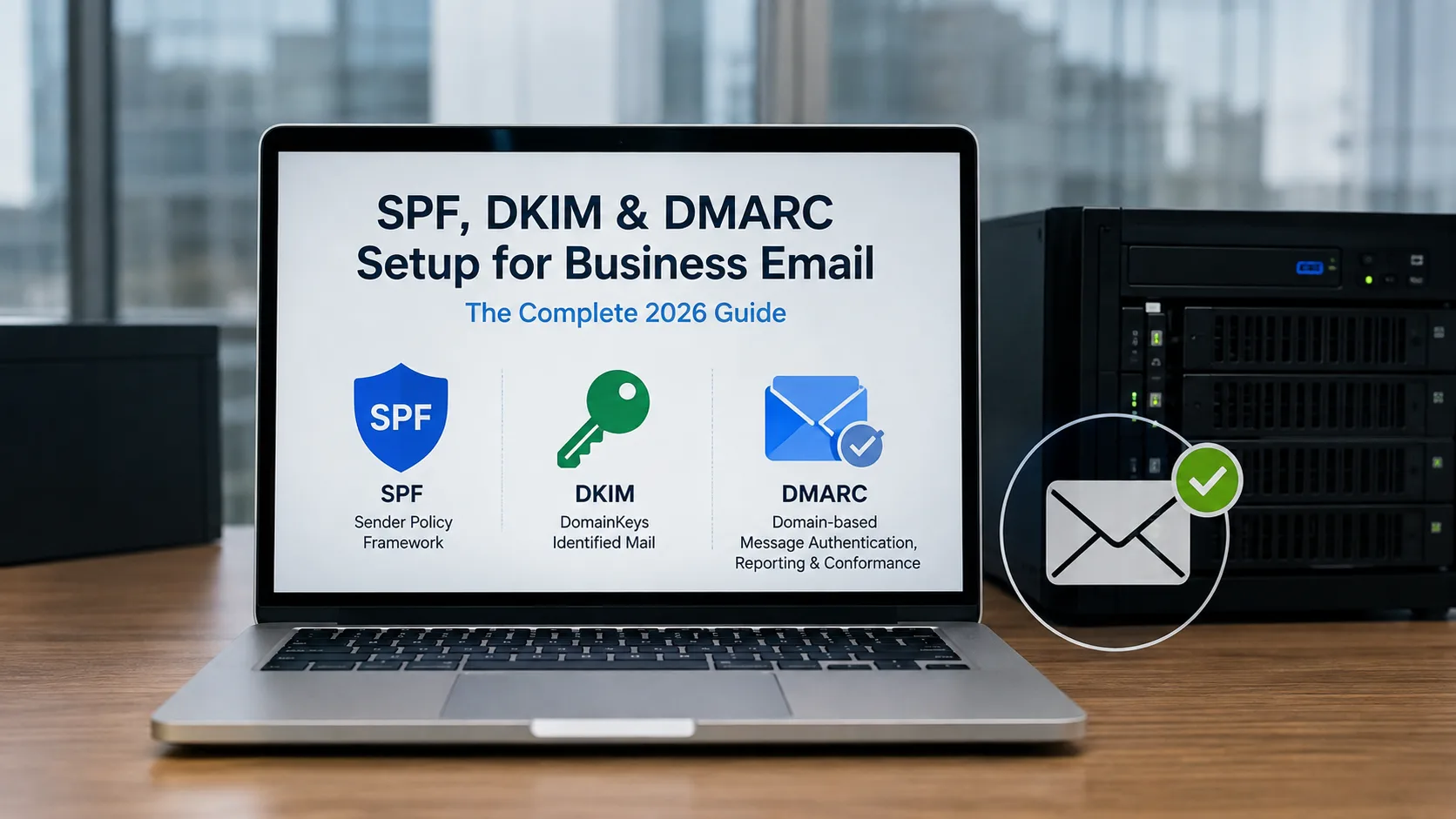
Setting up SPF, DKIM, and DMARC means publishing three DNS TXT records: one listing which servers can send mail for your domain (SPF), one that lets receiving servers verify a cryptographic signature on your messages (DKIM), and one that tells mailbox providers what to do when a message fails those checks, plus where to send you a report about it (DMARC). Do all three, in that order, and you've closed the loop that stops most email spoofing.
Here's the part most setup guides skip: publishing SPF and DKIM without DMARC is like installing security cameras that nobody ever watches. The cameras exist, but no one's decided what happens when they catch something, and you have no idea it's even recording, because there's no footage on file. A huge number of businesses set up SPF and DKIM years ago through their email provider's onboarding wizard, never touched DMARC, and are technically still wide open to anyone spoofing their exact domain today. If you only do one thing after reading this, get a DMARC record published in monitoring mode. It's the only piece of this that tells you what's actually happening to your domain in the wild.
Here's the exact configuration to publish, before we get into why each piece works this way:
| Record | Where | Type | Example value |
|---|---|---|---|
| SPF | Root domain (@ or yourbusiness.com) | TXT | v=spf1 include:_spf.google.com include:sendgrid.net ~all |
| DKIM | [selector]._domainkey.yourbusiness.com | TXT | v=DKIM1; k=rsa; p=MIGfMA0GCSq... (provided by your email/ESP admin console) |
| DMARC | _dmarc.yourbusiness.com | TXT | v=DMARC1; p=none; rua=mailto:dmarc-reports@yourbusiness.com |
Your exact SPF include: list and DKIM key come from whichever platforms actually send mail on your behalf (Google Workspace, Microsoft 365, your CRM, your invoicing tool, your marketing platform). The DMARC record above is intentionally the starting policy - p=none - not the end state. More on why that matters shortly.
What Each Protocol Actually Checks (and Why None of Them Work Alone)
These three protocols get bundled together so often that it's easy to assume they do the same job with different names. They don't - each one checks something different, and each has a specific blind spot the others cover.
SPF (Sender Policy Framework) checks the invisible “envelope sender” technically the MAIL FROM address, which shows up in your inbox as the Return-Path, against a list of servers you've authorized in DNS. If an email claims to come from your domain but was sent from a server not on that list, SPF fails. The catch: SPF only ever validates that hidden envelope address, not the "From:" name and address a person actually sees in their inbox. That's a bigger gap than it sounds — someone can pass SPF while spoofing the visible sender entirely, unless something else ties the two together (that "something else" is DMARC alignment, covered below). SPF also breaks in a specific, well-known way: forwarding. When a colleague's Gmail auto-forwards to their personal account, the forwarding server becomes the new sending IP, but the envelope sender often still says your domain, so the final receiving server sees an IP that isn't on your SPF list and fails the check, even though the mail is completely legitimate.
DKIM (DomainKeys Identified Mail) takes a different approach entirely: it adds a cryptographic signature to each outgoing message, generated with a private key your mail server holds, and lets any receiving server verify that signature using a public key you've published in DNS. Unlike SPF, DKIM travels with the message itself rather than depending on which server relayed it, which is exactly why it survives forwarding when SPF doesn't. DKIM's blind spot is different: on its own, it only proves a message wasn't altered in transit and really was signed by whoever holds that private key. It says nothing about what a receiving server should do if the signature is missing or invalid, and it doesn't check whether the signing domain matches the domain in the visible "From:" line at all.
DMARC (Domain-based Message Authentication, Reporting, and Conformance) is the piece that makes the other two mean something. It does three things SPF and DKIM can't do by themselves: it requires that whichever of SPF or DKIM passes must also be aligned — meaning the domain that actually authenticated the message matches the domain the recipient sees in "From:" it tells receiving servers exactly what to do with mail that fails alignment (nothing, quarantine, or reject), and it asks for a daily report on what happened. That alignment check is what actually stops the most common spoofing pattern: someone using a legitimate, SPF/DKIM-passing account on a compromised or unrelated mail platform to send a message with your exact "From: yourceo@yourbusiness.com" address. Their platform authenticates fine under its own domain, not yours, so without alignment, that message would sail through untouched.
Setting Up SPF: Where It Actually Breaks
Finding everything that needs to be in your record
Start by listing every platform that sends mail using your domain in the "From" address, not just your primary mailbox provider. This routinely includes your CRM, help desk, payroll or HR platform, e-signature tool, marketing platform, invoicing software, and any transactional email service a developer wired up (SendGrid, Postmark, Amazon SES) without necessarily telling anyone else in the company. Each one needs its own include: mechanism in your SPF record, and each one only works if that vendor's own SPF record is current, which you don't control.
The limit almost nobody accounts for until it breaks something
SPF evaluation is capped at exactly 10 DNS lookups per check, defined in RFC 7208, Section 4.6.4. Every include:, a, mx, ptr, and exists mechanism counts toward that limit, and critically, so does everything nested inside another vendor's include:. Adding Google Workspace, a CRM, and a marketing platform can easily land you at 9–12 lookups before you've added anything unusual. Cross the limit and receivers don't just fail your SPF check - they return a PermError, which DMARC treats identically to an outright fail, on every single message, for every recipient, until you fix it. Worse, this often surfaces intermittently at first, since not every receiving server evaluates every mechanism for every message, which makes it maddening to diagnose from symptoms alone.
There's a second, lesser-known limit in the same RFC: no more than 2 void lookups - DNS queries that come back empty or NXDOMAIN are allowed per check. This typically happens when an include: still points at a vendor you decommissioned two years ago. It's an easy miss because your lookup count can look fine on paper while you're still over the void-lookup limit.
Practical fixes, in order of how disruptive they are: remove any include: for a service you no longer use (the single most common fix); replace an include: with a direct ip4:/ip6: reference if the vendor sends from a fixed IP range (this doesn't cost a lookup at all); or "flatten" your record by resolving every include down to static IPs, accepting that you'll need to re-flatten whenever a vendor changes their sending infrastructure.
Choosing ~all versus -all
The qualifier at the end of your SPF record decides what happens to mail from a server not on your list. ~all (softfail) tells receivers to accept it but flag it as suspicious; -all (hardfail) tells them to reject it outright. Most guides jump straight to recommending -all for maximum protection, but there's a real trade-off: if your SPF list is incomplete, which, given the lookup limit above, is common, -all will bounce legitimate mail immediately, while ~all gives you a cushion while you're still finding every sending source. Move to -all once your DMARC aggregate reports (see below) show a clean, complete picture of every legitimate source sending on your behalf.
Setting Up DKIM: The Signature That Almost Nobody Verifies Correctly
Why you'll end up with more than one selector
The "selector" is the arbitrary label in your DKIM DNS hostname (google._domainkey.yourbusiness.com, s1._domainkey.yourbusiness.com, k1._domainkey.yourbusiness.com) that lets multiple signing keys coexist. Every platform that sends mail on your behalf typically signs with its own selector and key, which means a business using Google Workspace plus a CRM plus a marketing platform will have three or more DKIM records live simultaneously; that's normal, not a misconfiguration.
Key length: 1024 versus 2048 versus 4096
RFC 8301 sets 1024-bit RSA as the DKIM protocol floor but recommends at least 2048 bits for signing, and NIST guidance goes further, treating 1024-bit RSA as legacy-strength cryptography for digital signatures. In practice, 2048-bit is the correct default in 2026 - it satisfies the RFC, satisfies NIST, and is what Google, Microsoft, and Yahoo all expect from bulk senders. 4096-bit sounds like the "more secure" upgrade, but it creates a real, avoidable problem: a 2048-bit public key already exceeds the 255-byte limit for a single DNS TXT string and has to be split into multiple quoted segments, and 4096-bit makes that chunking worse. If your DNS provider's interface mishandles that split, you get a silent failure - mail keeps sending, your logs look completely normal, and DKIM simply fails on the receiving end without anything on your side telling you why.
The case for rotating keys - and the one gotcha that surprises people
M3AAWG's guidance frames key rotation the way you'd think about rotating any credential: a 2048-bit key is currently considered computationally out of reach to crack, but the private key itself can still be stolen if the system storing it is compromised, and rotation limits how long a stolen key stays useful. There's no single universally mandated schedule, but 6–12 months is the common operational range, done by publishing a new key under a new selector, switching your outbound signing over to it, and only removing the old selector's DNS record after a short overlap period — never as a single cutover. Rotate immediately, off-schedule, whenever an employee with access to your mail platform's admin console leaves the company. One detail that catches teams off guard: on Microsoft 365, a newly rotated key doesn't start signing immediately, except for up to a 96-hour delay before it actually takes effect, which can look like a broken rotation if you're not expecting the lag.
Setting Up DMARC - Where Most Setups Quietly Stall
This is the record that determines whether the first two protocols actually protect anything, and it's also the step where most businesses stop halfway.
This is the record that determines whether the first two protocols actually protect anything, and it's also the step where most businesses stop halfway.
The record, tag by tag
v=DMARC1; p=quarantine; rua=mailto:dmarc-reports@yourbusiness.com; adkim=r; aspf=r; sp=quarantine; fo=1
p=- the policy applied to your exact domain:none(monitor only, take no action),quarantine(send failing mail to spam), orreject(block it entirely).sp=- the policy for subdomains, which can be set separately fromp=.rua=- where daily aggregate reports go (see the reporting section below).adkim=/aspf=- alignment mode:r(relaxed, the sensible default -mail.yourbusiness.comaligns withyourbusiness.com) ors(strict - requires an exact domain match).fo=1- requests a failure report on any authentication failure, not just when both SPF and DKIM fail (the default).
p=none isn't "done" - it's the first of three deliberate stages
The single most common DMARC mistake is treating a published p=none record as the finish line. It isn't; it's a listening mode. It gets you reports, but it doesn't stop a single spoofed email from reaching an inbox. The IETF's current DMARC guidance is explicit about the safe way to move past it: run p=none for at least a month while you review aggregate reports and confirm every legitimate source is passing and aligned, then move to p=quarantine for at least another month comparing report data, and only then consider p=reject. Rushing straight to p=reject on day one is how companies discover via an angry marketing manager rather than a report - that their email newsletter platform or a CRM's outbound notifications were never actually aligned in the first place.
One reassuring, less-known detail: under the current standard, receivers are directed not to reject mail purely because a domain publishes p=reject in the absence of other evidence of abuse, they're expected to treat it as quarantine instead for indirect mail flows like forwarding or mailing lists. That's formalizing what Gmail, Microsoft 365, and Yahoo already do in practice today, but it's worth knowing before you talk yourself out of enforcement over forwarding fears alone. It's a safety net, though not a reason to skip the staged rollout.
Subdomains: the spoofing angle most setups forget entirely
If you only publish a DMARC record at your root domain and never set sp=, plenty of receivers will still protect mail.yourbusiness.com or shop.yourbusiness.com - but a subdomain that has never existed and never will (say, secure-billing.yourbusiness.com, invented by an attacker) is a real, common spoofing vector, since there's nothing obviously wrong with a domain a recipient has simply never seen before. This is exactly the gap the newest DMARC tag, np=, was built to close see below.
The 2026 update almost no other guide covers yet: DMARCbis
In May 2026, the IETF formally replaced the original 2015 DMARC specification with three new documents: RFC 9989 (core protocol), RFC 9990 (aggregate reporting), and RFC 9991 (failure reporting) — collectively known as DMARCbis. This is the first time DMARC has had genuine IETF Standards Track status rather than its old "Informational" classification, and it's recent enough that most existing setup guides still describe the pre-2026 rules.
What it means for a typical business, in practice: almost nothing changes in your DNS today. Records starting with v=DMARC1 still work exactly as before, and p=, sp=, rua=, ruf=, adkim=, and aspf= all keep their original meaning. Two things are genuinely worth knowing:
- The
pct=tag (used to roll out enforcement to a percentage of mail at a time) is deprecated. In a scan of 5.5 million domains, one DMARC vendor found that roughly 2.3% of published records still carried apct=value below 100, mostly abandoned partial rollouts that were started and never finished. If you're setting up DMARC fresh, skippct=altogether: run full-percentage monitoring at each stage above (p=none, thenp=quarantine) for the recommended month-long windows instead of trickling enforcement in by percentage. - A new
np=tag lets you set a stricter policy specifically for subdomains that don't exist, independent of your policy for subdomains that do (for example:p=quarantine; sp=quarantine; np=reject), directly addressing the non-existent-subdomain spoofing gap above.
If you inherited a DMARC record set up before 2026, the one concrete action item is checking whether it still contains pct=, rf=, or ri= and removing them at your next DNS update - they're deprecated, not actively harmful, so there's no urgency, just cleanup.
Why This Stopped Being Optional: The Google, Yahoo, and Microsoft Bulk Sender Rules
If you send more than 5,000 messages a day to personal Gmail or Yahoo addresses, this section applies to you regardless of your own email platform, and it's the reason SPF/DKIM/DMARC went from "best practice" to "mandatory" for a huge swath of businesses.
Google and Yahoo announced the requirements together in October 2023, with enforcement beginning February 2024. Microsoft followed in 2025, announcing its own rules for Outlook, Hotmail, and Live.com addresses in April, then hardening its enforcement approach from junk-folder routing to outright SMTP-level rejection before its rules even took effect on May 5, 2025. Google, for its part, moved from temporary, partial enforcement to permanent, full-scale rejection of non-compliant mail starting in November 2025.
| Requirement | Threshold |
|---|---|
| Authentication | Valid SPF and DKIM, with DMARC published and aligned |
| Spam complaint rate | Below 0.10% (ideal); must never reach 0.30% |
| Unsubscribe | One-click unsubscribe (RFC 8058) on marketing/subscribed mail |
| Message format | Valid RFC 5322 formatting, valid forward and reverse DNS on sending IPs |
Two details worth knowing before you assume this doesn't apply to you: the 5,000-message threshold is counted per domain, and mail between accounts inside the same Google Workspace organization doesn't count toward it, but any personal Gmail or Yahoo address you email from your business domain does, regardless of what mail platform you personally use. And new domains that hadn't sent bulk mail before this all began face tighter scrutiny from the first message, not a grace period.
For actually monitoring your standing against Gmail's side of this, Google retired the old Postmaster Tools "reputation" dashboards (the vague High/Medium/Low scores) entirely by the end of 2025 and replaced them with a binary Compliance Status dashboard in Postmaster Tools v2 — it simply tells you pass or fail against each requirement above. As of mid-2026, Google added a separate "Deliverability analysis" layer on top of that: it's possible to pass every authentication and compliance check and still get a plain-language verdict that recipients don't want your mail. That's a genuinely important distinction: SPF, DKIM, and DMARC prove you're who you say you are; they say nothing about whether people actually want to hear from you, and Google now grades those two things separately.
What Skipping This Actually Costs
The abstract case for email authentication is obvious — spoofing is bad. The concrete case is what the numbers say. The FBI's Internet Crime Complaint Center logged just over $20.9 billion in reported losses in 2025, up 26% year over year, from a bit over one million complaints. Business email compromise alone accounted for roughly $3.05 billion of that - a category that, notably, usually involves no malware and no malicious link at all, just a convincing message that exploits trust and urgency to get someone to authorize a payment or change banking details. Reported BEC losses average well over $100,000 per complaint, and the large majority of that money moves through ordinary wire transfer or ACH channels, meaning it lands inside completely normal-looking financial workflows rather than tripping any obvious alarm.
None of that guarantees DMARC enforcement would have stopped any specific incident - a huge share of BEC relies on lookalike domains and compromised legitimate mailboxes that authentication protocols were never designed to catch. What DMARC at enforcement does reliably stop is the narrower but very common pattern of someone spoofing your exact domain in the "From" field, and it's the only one of the three protocols that would tell you it happened, since SPF and DKIM alone generate no reports at all.
Verifying Your Setup Actually Works
Don't take a green checkmark in your DNS panel as proof anything is actually passing. Check the receiving side.
Read the Authentication-Results header. Send a test message to a Gmail address you control, open it, and use "Show original" (or the equivalent in your mail client) to see the raw headers. You're looking for spf=pass, dkim=pass, and dmarc=pass and specifically checking that the domain named next to each result is actually yours, not a fallback source.
Use a free checker for a fast, complete snapshot. Sending a test message to a service like mail-tester.com gives you a single score covering SPF, DKIM, DMARC, blocklist status, and basic content red flags in one pass. MXToolbox's free DKIM/SPF/DMARC lookup tools are useful for checking your published records directly, independent of any message you send. Neither replaces watching real mail flow over time, but both catch obvious misconfigurations before they cost you a single delivered message.
Enroll in Google Postmaster Tools if you send any meaningful volume to Gmail addresses - it's free, and the Compliance Status dashboard in v2 is the fastest way to see exactly which bulk-sender requirement is failing, rather than reverse-engineering a spam-rate graph. Keep in mind it only covers Gmail recipients and updates on a roughly one-day lag (compliance changes specifically can take up to a week to reflect), so pair it with your DMARC aggregate reports for the full picture across every provider, not just one.
Making Sense of Your DMARC Reports
Aggregate reports (rua) are the ones that actually matter day to day
Every major mailbox provider sends a daily XML summary to whatever address you list in rua=, showing every sending source that claimed your domain and whether each one passed or failed SPF, DKIM, and alignment. Read raw, this is dense, awkward XML - realistically, you'll want a parser or dashboard tool (there are several solid free and paid options built specifically for this) rather than opening every report by hand. What you're checking for is simple even if the file format isn't: does every source in the report match something you recognize, and is each one passing and aligned?
Forensic reports (ruf) are worth configuring, but don't expect much from them
Forensic reports promise something aggregate reports don't - the actual headers of an individual failing message, useful for investigating a specific spoofing attempt rather than a trend. In practice, Gmail has never sent them, citing user privacy (subject lines and headers can contain personal information), and most sources agree Microsoft doesn't send them either; Yahoo sends them for some failure conditions, and smaller providers or self-hosted mail servers are the most likely to send them consistently. If you configure ruf= and your inbox for it stays empty, that's normal, not evidence your DMARC record is broken — check your aggregate reports instead, since those are the ones every major provider actually sends.
Field Notes: The Mistakes That Break Working Setups
- Two SPF TXT records instead of one. Only one SPF record per domain is valid; if a legacy record from an old provider is still sitting in DNS alongside a new one, receivers get an ambiguous result and often fail the check entirely. Merge everything into a single record with multiple
include:entries. - A vendor gets added to your stack and nobody updates SPF. New CRM, new invoicing tool, new HR platform - each one needs to either be added to your SPF
include:list or configured to send through your existing infrastructure. The first sign is usually that mail lands in spam a few days after a new tool goes live, by which point someone's already asking why. - Jumping straight to
p=reject. Covered above, but it bears repeating: this is the single most common way a DMARC rollout causes a real, visible problem instead of preventing one. - Forgetting that mailing lists and
p=rejectdon't mix well. A mailing list that rewrites the "From" header to preserve its own alignment breaks alignment for your original domain. If people at your company post to mailing lists from their business address, current guidance explicitly recommends against enforcingp=rejecton that domain - DKIM (not SPF) is what has any chance of surviving the rewrite, so make sure DKIM signing is solid before you even consider it. - Switching email providers and leaving the old DKIM selector and SPF include behind. Old records don't actively break anything by themselves, but they're unnecessary attack surface and a common source of confusion when troubleshooting later.
- No subdomain policy at all. Covered above - leaving
sp=(and, going forward,np=) unset means non-existent subdomains are the easiest thing on your domain to spoof convincingly.
What's Next: BIMI and the Logo in the Inbox
Once DMARC is actually at enforcement p=quarantine or p=reject, covering effectively all of your mail you become eligible for BIMI (Brand Indicators for Message Identification), which displays your verified logo as the avatar next to your emails in supported inboxes. It's worth knowing about early because the eligibility requirement (DMARC enforcement) is the same work you're already doing, but the certification step is a separate, often slower project.
There are two paths: a Verified Mark Certificate (VMC), which requires a registered trademark and is the only route to Gmail's blue checkmark and Apple Mail's logo display, and a Common Mark Certificate (CMC) — a newer, Gmail-specific option that doesn't require a trademark, only proof (via web archive records) that you've publicly displayed the logo on your domain for at least 12 months. Yahoo and AOL will actually display a BIMI logo without any certificate at all, purely based on DMARC enforcement, which surprises people expecting a uniform requirement across providers. The trademark requirement is usually the real bottleneck for a VMC — registration through an approved intellectual property office commonly takes six to eighteen months, and one widely cited analysis of published BIMI records found that a majority contained at least one error, most often in the certificate rather than the DNS or logo file itself. Budget for the certificate step to take longer than the technical setup.
Quick-Start Checklist
- List every platform that sends mail as your domain, not just your primary provider.
- Publish one merged SPF record covering all of them, staying under 10 DNS lookups (and under 2 void lookups).
- Confirm DKIM is enabled and signing for each platform, using a distinct selector per source, at 2048-bit RSA or stronger.
- Publish a DMARC record at
p=nonewithrua=pointed at an address (or parsing tool) you'll actually check. - Review aggregate reports for at least a month; confirm every legitimate source passes and is aligned.
- Move to
p=quarantinefor at least another month, still watching reports. - Move to
p=reject, setsp=(and considernp=) to cover subdomains, and drop any leftoverpct=,rf=, orri=tags. - Verify with a real test message; check the
Authentication-Resultsheader, not just your DNS panel.
Frequently Asked Questions (FAQs)




 +1-857-557-6896
 +44-161-791-4592