
How to Transfer Comcast Xfinity Email to Gmail?
- 0
While checking your Gmail inbox, you may notice that important emails from your Comcast Mail account are missing. To view them, you often have to switch between Gmail and Comcast accounts, which can lead to missed messages. Wouldn’t it be easier to have everything in one place? Imagine accessing all your Comcast emails directly in your Gmail inbox - you can make that happen!
You can easily transfer Comcast emails to Gmail and keep all your important messages, documents, and attachments together. Let’s walk you through the entire process. But before that, it is very important to know some potential issues you may face during the transfer.
Common Issues When Transferring Comcast Email to Gmail
Users may encounter specific issues when trying to transfer Comcast Xfinity emails to Gmail. Here are some of the most common ones:
-
Incorrect email server settings
-
Emails not appearing in Gmail
-
Forwarding settings not working
-
Comcast account limitations
-
Problems with email formatting or missing attachments
Steps to Transfer Comcast Email to Gmail
Follow the steps in the section below to transfer your emails and contacts from Comcast Xfinity to Gmail:
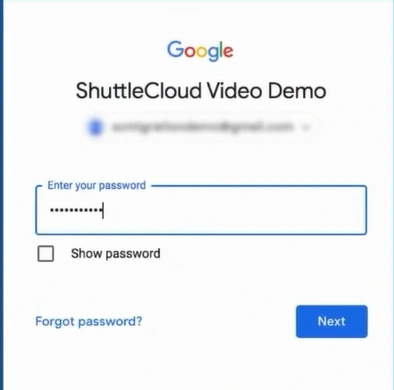
Step 1: Sign in to your Gmail account.
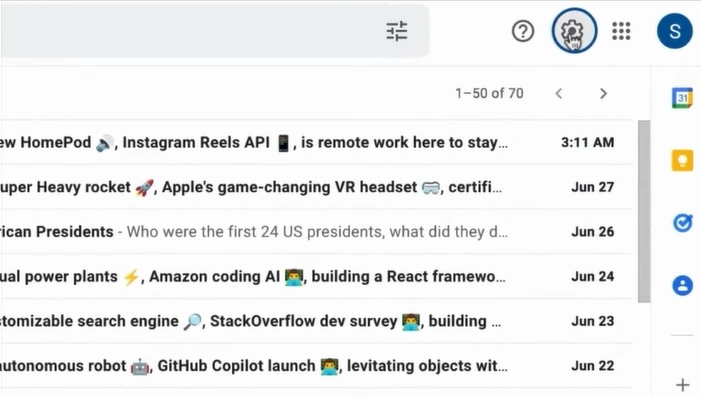
Step 2: Click on the Settings icon in the top-right corner and select ‘See all settings.’
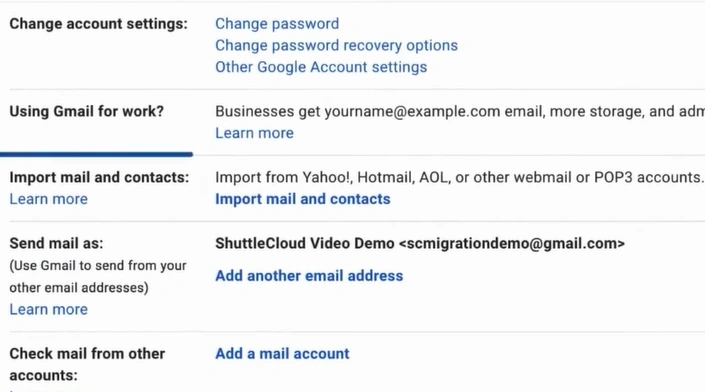
Step 3: Open the Accounts and Import tab and click Import mail and contacts.
Step 4: Enter your Xfinity email address in the pop-up window and click ‘Continue.’ If prompted again, click ‘Continue’ once more.
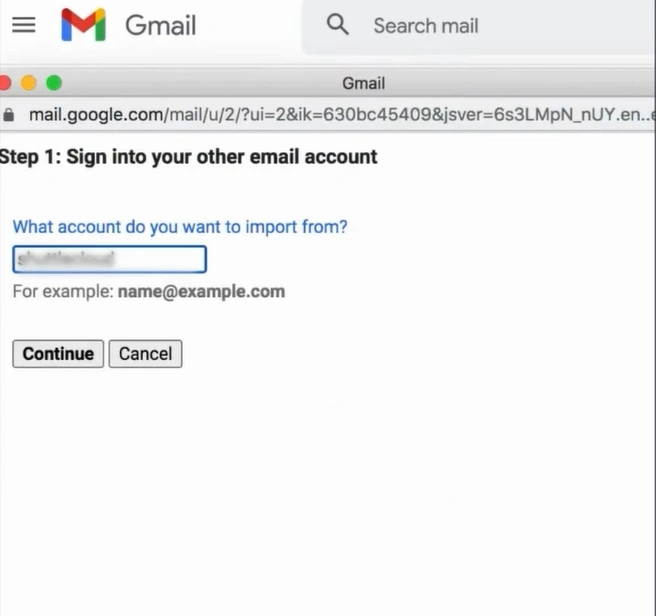
Step 5: Enter your Xfinity ID again and click the Let’s Go button.
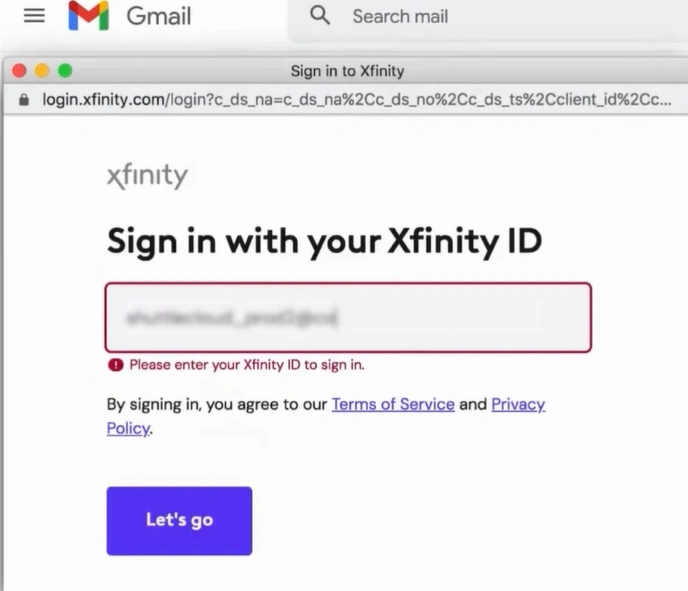
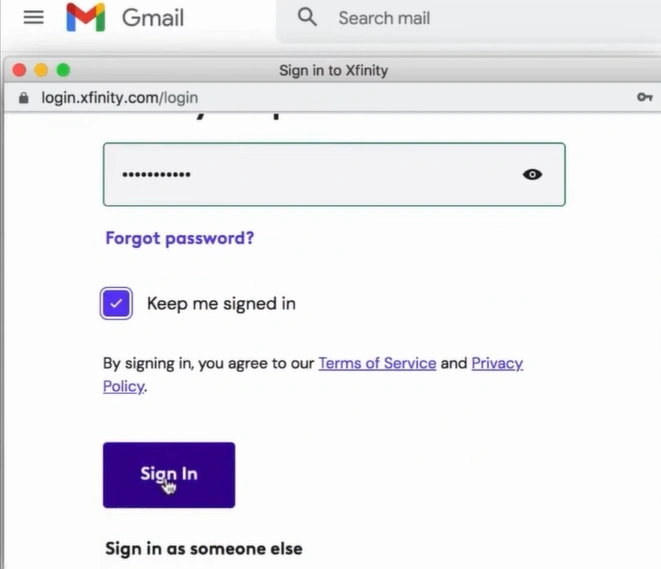
Step 6: Enter your password, then click on Sign in.
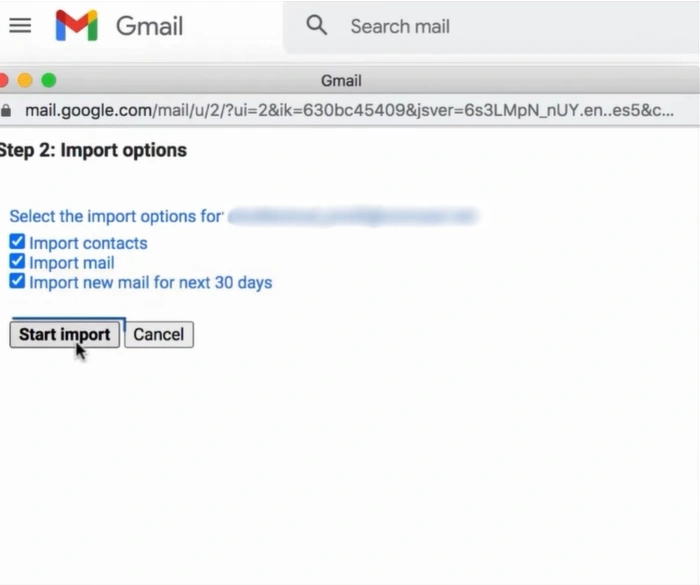
Step 7: In Step 2, select the import options.
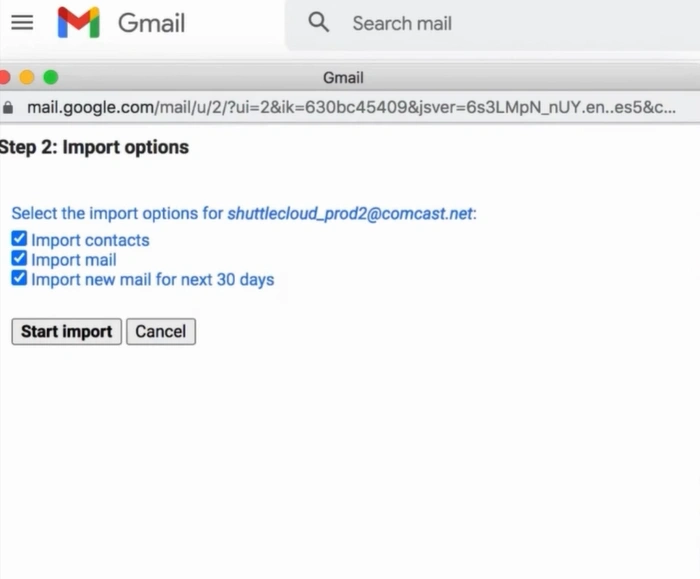
Step 8: Click on Start import.
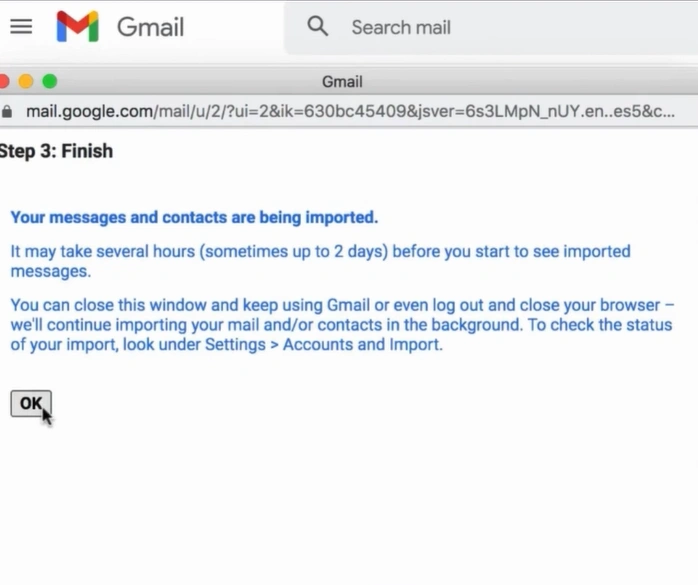
Step 9: After the import process is finished, click on OK.
Summing Up
That’s how you can transfer Comcast Xfinity emails to Gmail. By following the steps carefully, you will enjoy a unified inbox with all your important messages in one place. You just have to make sure to enter your email account credentials correctly and review your settings before starting the import to avoid any errors and ensure a smooth transfer procedure.



 +1-857-557-6896
 +44-161-791-4592