
How to Add BTinternet Email to Outlook 365?
- 0
On a regular workday, you opened Outlook 365 and started scrolling through emails. Soon, you realized it was difficult to switch between apps and windows just to find BTinternet and Outlook messages. Managing them separately felt like a struggle.
What if all your BTinternet and Outlook emails were in one inbox, making management much easier? The good news is that this is possible.
You can add your BTinternet email to Outlook 365 with just a few steps. We have outlined all the essential steps for you, but before starting, let’s look at some potential issues you may face during setup.
Common Problems When Adding BTinternet Email to Outlook 365
You may face the following potential issues when adding BTinternet email to Outlook 365.
-
Wrong IMAP settings
-
Broadband customer requirements
-
Authentication problems
Steps to Add BTinternet Email to Outlook 365
You can add your BTinternet email account to Outlook 365 by following the steps below:
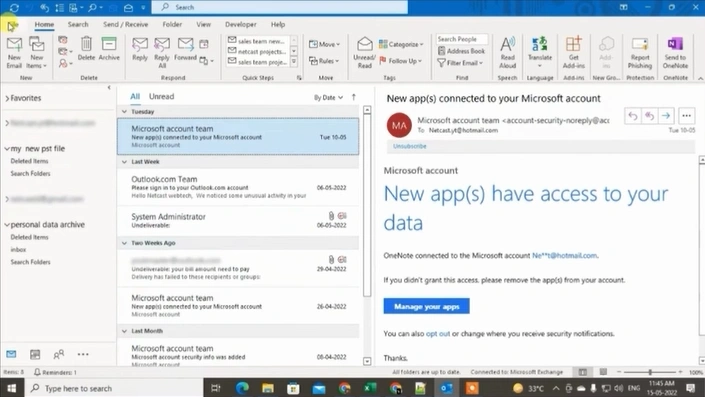
Step 1: Open Outlook, and go to the File tab, click on the Account Settings drop-down menu, and then select Account Settings.
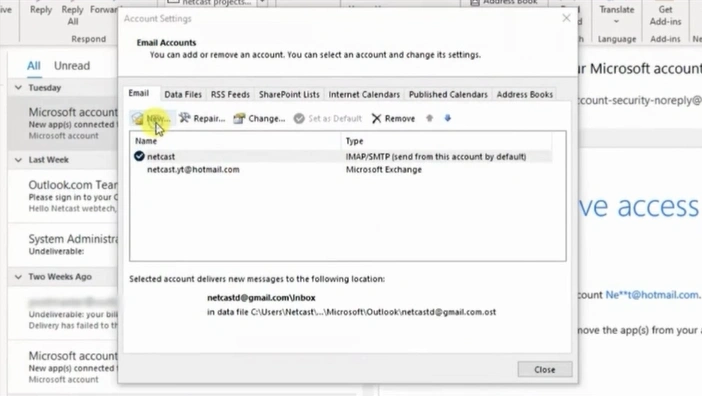
Step 2: In the Account Settings window, click on New.
Step 3: Enter your BT Mail address.
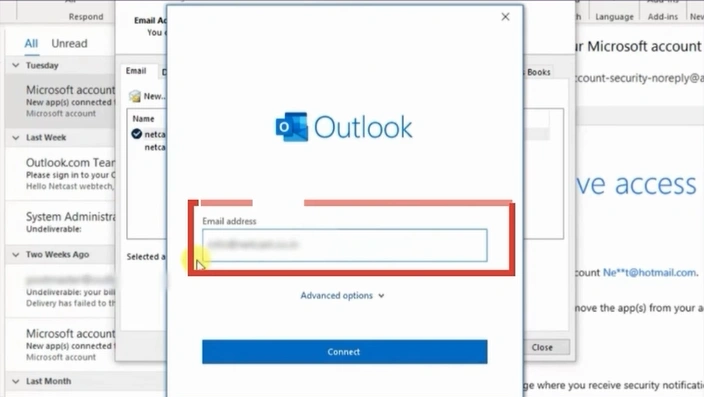
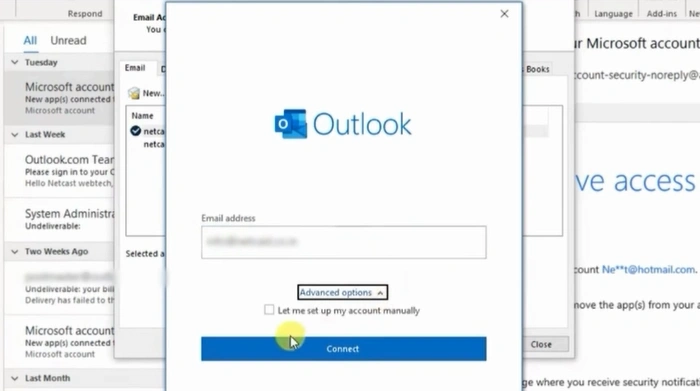
Step 4: Click on Advanced Options, check the “Let me set up my account manually” option, and then click on the Connect button.
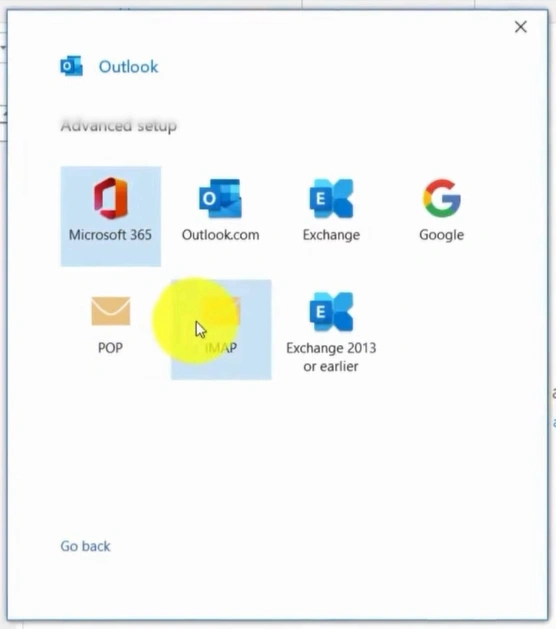
Step 5: Select IMAP and enter mail.btinternet.com in the Incoming Mail Server field.
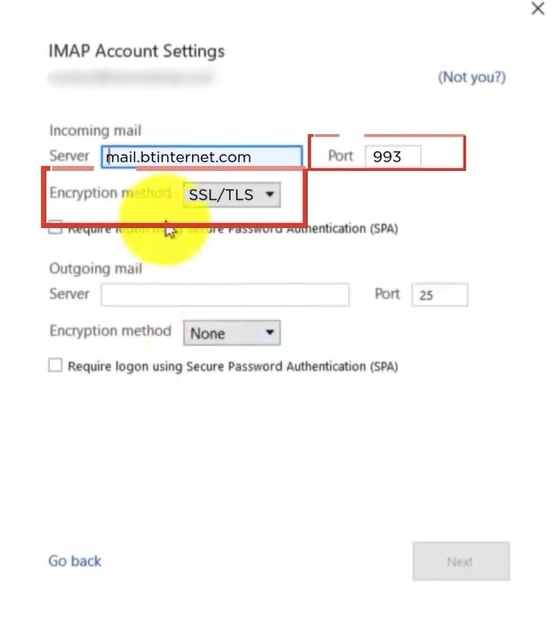
Step 6: Set the Port to 993 and choose SSL/TLS as the Encryption Method.
Step 7: Enter mail.btinternet.com in the Outgoing Mail Server field.
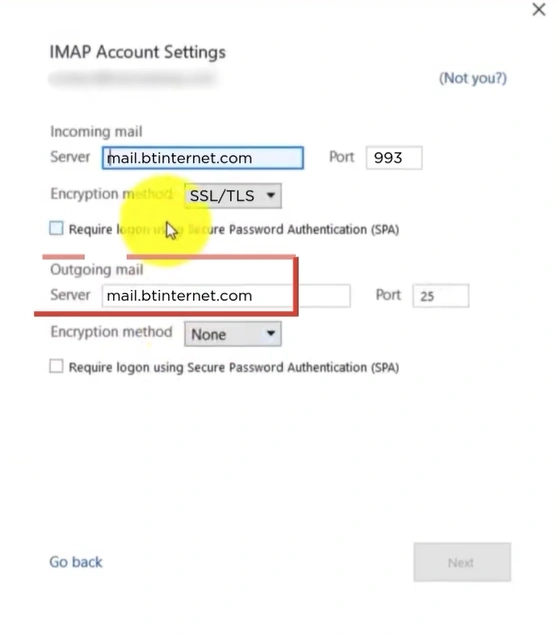
Step 8: Set the Port to 465 and select SSL/TLS as the Encryption Method.
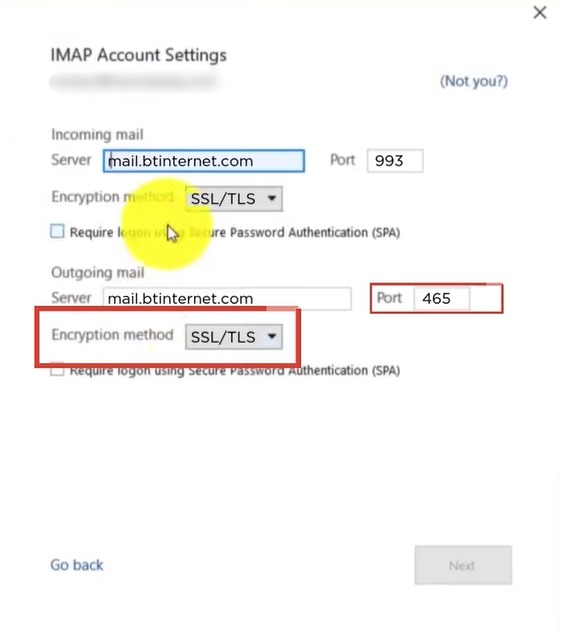
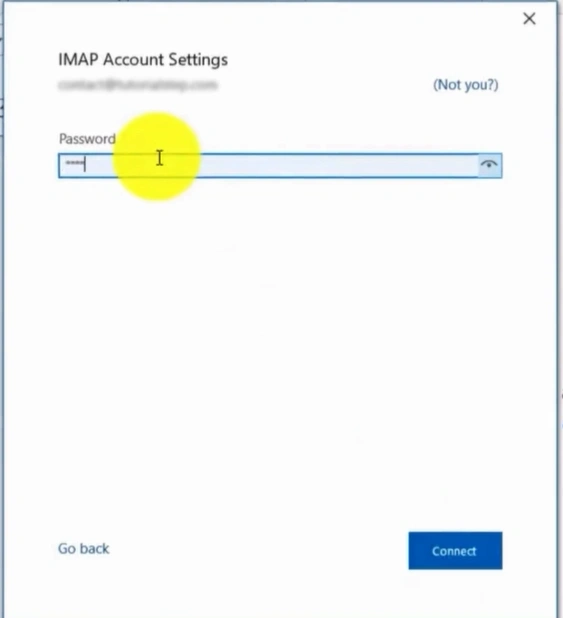
Step 9: Click Next, enter your BT Mail password, and then select Connect.
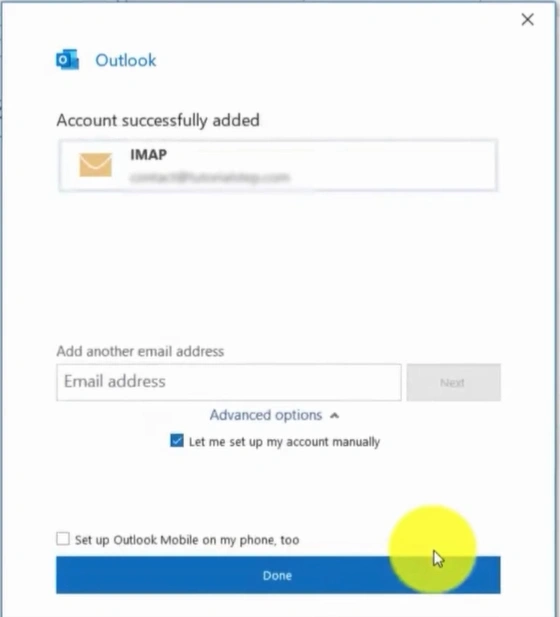
Step 10: When the “Account Successfully Added” screen appears, click “Done.”
What to Do After Adding BTinternet Email?
After adding your BT Mail to Outlook 365, you must do the following to confirm that everything is working correctly:
-
Send a test email
-
Check folder sync
-
Enable 2-step verification
-
Set BTinternet as the default account if needed
To Conclude
That’s how you add BTinternet email to Outlook 365. The process is easy, but you should follow each step carefully. Issues such as incorrect IMAP settings or authentication errors may still occur, so be prepared to fix them. After setup, send a test email and check folder syncing to confirm everything works properly.



 +1-857-557-6896
 +44-161-791-4592