
How to Fix Yahoo Mail Not Receiving Emails?
- 0
Have you ever been waiting for an important email on your Yahoo Mail account, only to find nothing in your inbox? The long-awaited response never comes, leaving you wondering, “Why am I not receiving emails on my Yahoo Mail account?”
This is not an uncommon issue, but it can be frustrating if you keep seeing the same silent inbox. You might miss important messages like offer letters, client responses, or event invitations.
Let’s fix the Yahoo Mail not receiving emails issue together. Before we explore the solutions, let’s review some common problems that can occur during troubleshooting.
Common Problems During Yahoo Mail Troubleshooting
Users may face challenges and problems when resolving the Yahoo Mail not receiving emails issue. Here are some of the most common ones:
-
Email signature issues
-
Disabled email forwarding
-
Ad blockers or outdated browser settings
-
Browser issues
-
Incorrect filters
Top 3 Solutions to Resolve Yahoo Mail Not Receiving Emails
Check out and apply any of these easy solutions to resolve the issue of Yahoo Mail not receiving emails:
Solution 1: Review and Modify Filters
Step 1: Open your Yahoo Mail account and click on Settings.
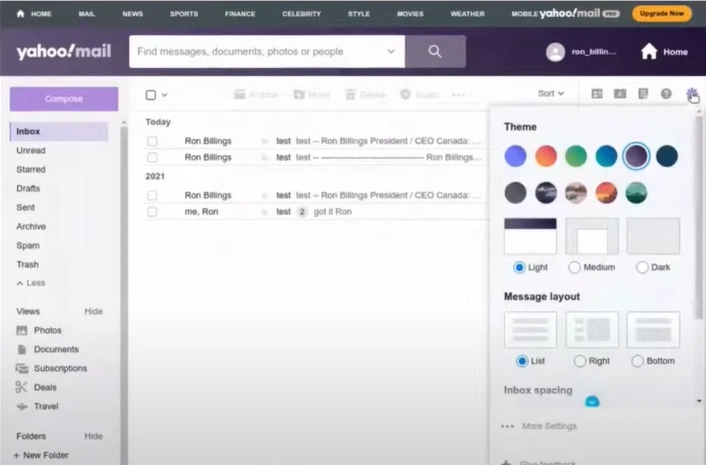
Step 2: Click More settings.
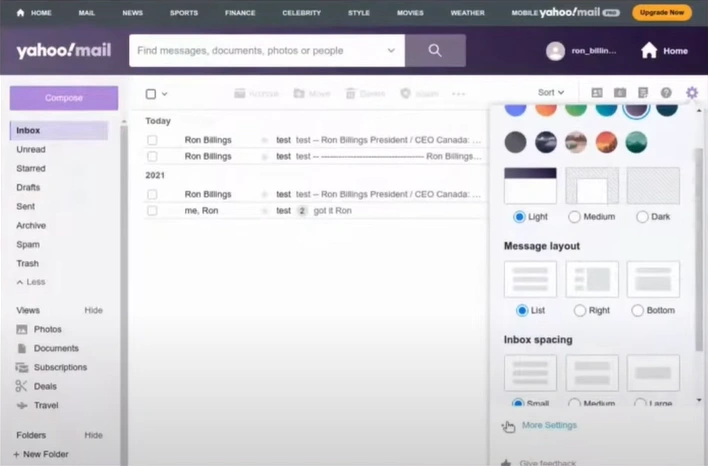
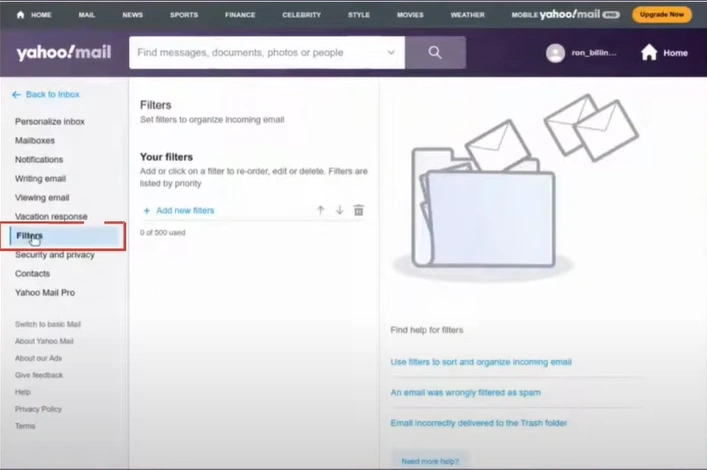
Step 3: Go to the Filters folder from the sidebar.
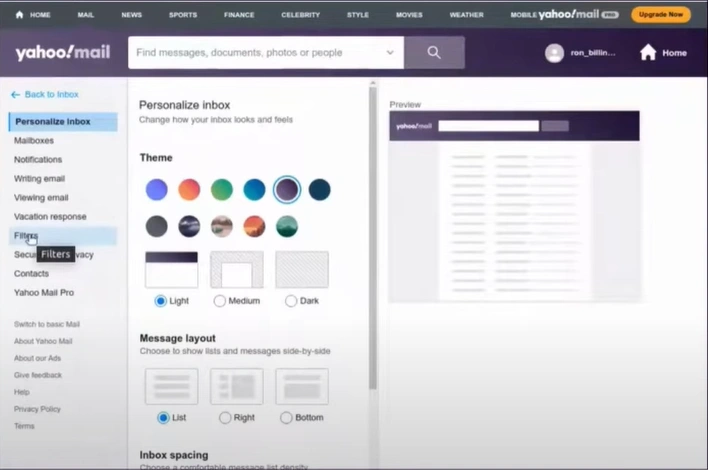
Step 4: Open your filters and review the rules.
Solution 2: Mark Emails as Not Spam
Step 1: Open your Yahoo Mail account, then click on Spam.
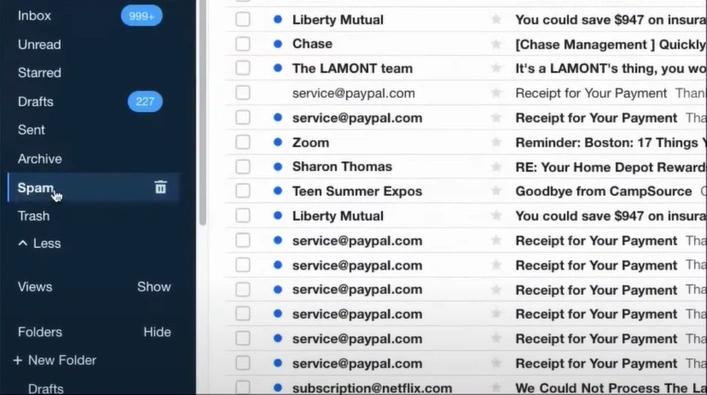
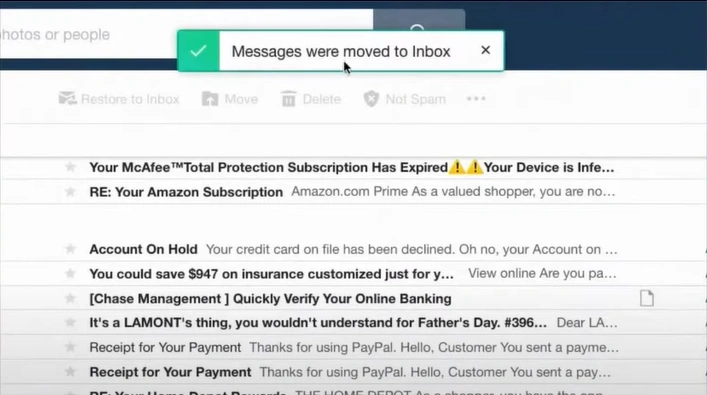
Step 2: Locate and select the emails.

Step 3: Click on Not Spam, and the emails will move to your inbox.
Solution 3: Check Storage
Step 1: Open your Yahoo Mail and go to Settings
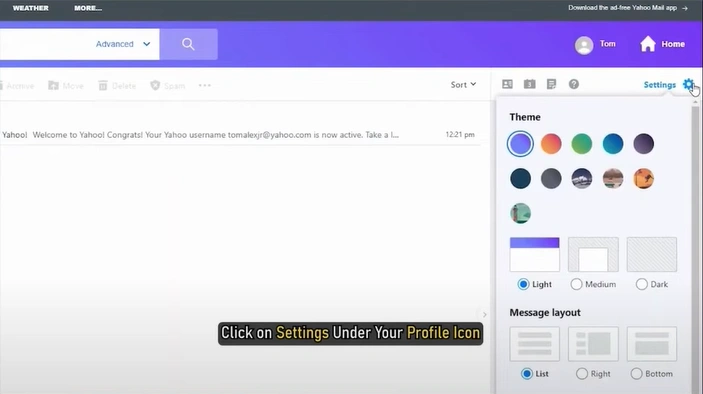
Step 2: Select More settings
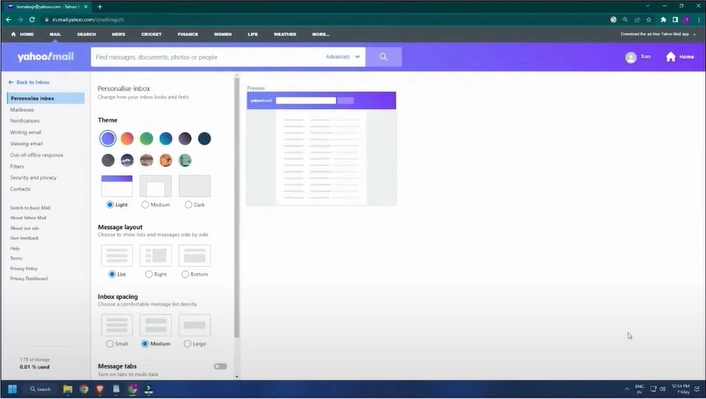
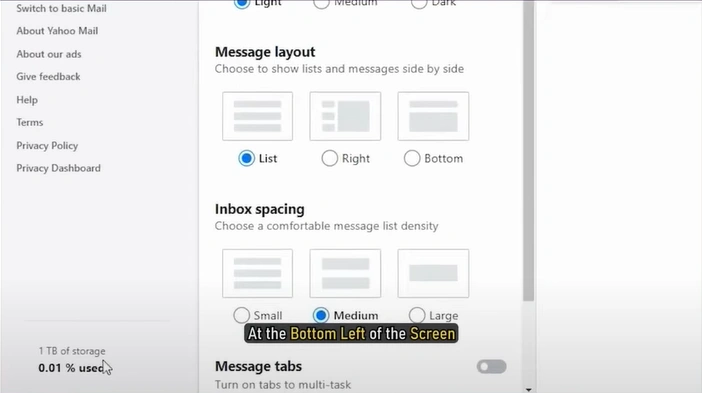
Step 3: At the bottom of the sidebar, check the storage space and clear it if the storage is full.
Tips to Prevent Yahoo Mail Not Receiving Emails
If you don’t want the same issue to crop up again, you must keep a few prevention tips in your back pocket, like:
-
To stop important emails from being marked as spam, add regular senders to your contact list.
-
Double-check your filter settings to ensure emails are not being redirected to other folders. It is also important to ensure you haven’t unintentionally blocked any contact.
-
Check that you are on the latest version of the Yahoo Mail app. Outdated apps may lead to email syncing issues.
-
Delete old messages so that your mailbox doesn't run out of storage space. A full mailbox can stop the arrival of any new email.
Also Read:- Troubleshooting Solutions to Fix Multiple Yahoo Mail Issues
Wrapping Up
Issues like not receiving emails on Yahoo Mail are something you can't ignore. So, take prompt action and begin troubleshooting. Resolve the issue by reviewing and modifying filters, marking emails as 'Not Spam', and clearing storage space. To avoid this issue in the future, keep your contact list updated, review your filters regularly, use the latest Yahoo Mail app, and keep your inbox from getting full.



 +1-857-557-6896
 +44-161-791-4592