
Fix Yahoo Mail Not Working Issue
- 0
Checking emails is part of your daily routine. But one morning, when you were on your computer, you typed in Yahoo Mail, clicked sign in, and nothing happened. This unexpected error kept you from accessing your inbox, as the page refused to load. Assuming it was a minor glitch, you refreshed the browser, but the issue persisted.
If you are having trouble logging into your Yahoo Mail account, we have listed some practical solutions. But before moving to the fixes, let’s first look at the common problems you may face when Yahoo Mail is not working.
Problems You May Face While Fixing Yahoo Mail Issues
Here are some common problems you may face while trying to fix Yahoo Mail:
-
Browser compatibility issues
-
Clearing cache or cookies may log you out of other accounts.
-
Security warnings or suspicious activity alerts
Top 5 Solutions to Fix Yahoo Mail Not Working Issue
If you have been having trouble logging into your Yahoo Mail account, try these practical solutions to resolve the problem:
Solution 1: Check Your Internet Connection
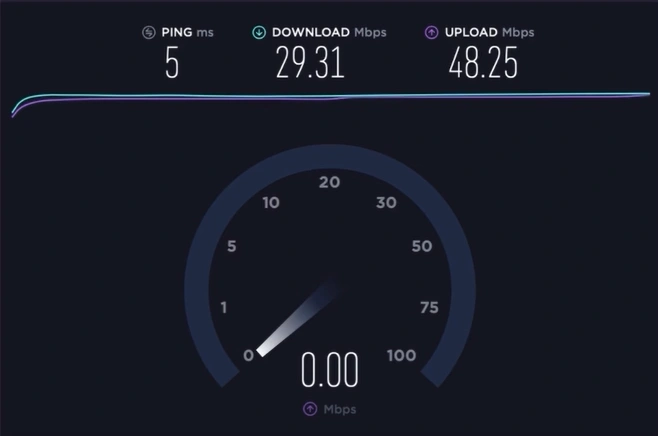
Step 1: Check the internet speed.
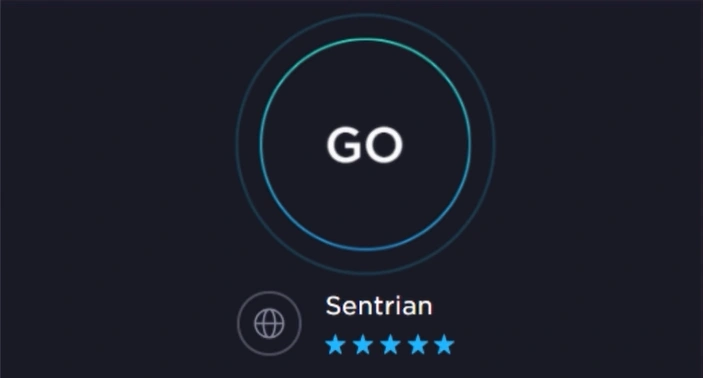
Step 2: If the connection is weak, then switch to a different network or internet provider.
Solution 2: Update Your Browser
Step 1: Open your Chrome browser.

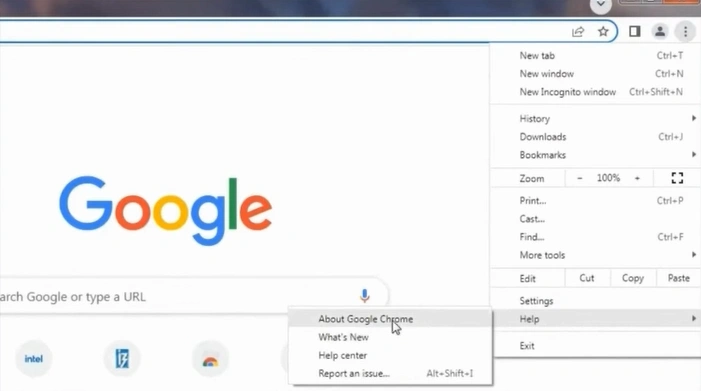
Step 2: Click on the three dots and select Help from the list of actions.
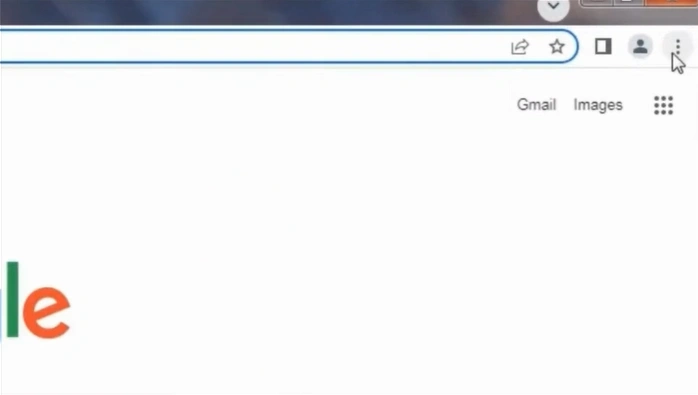
Step 3: Click on About Google Chrome.
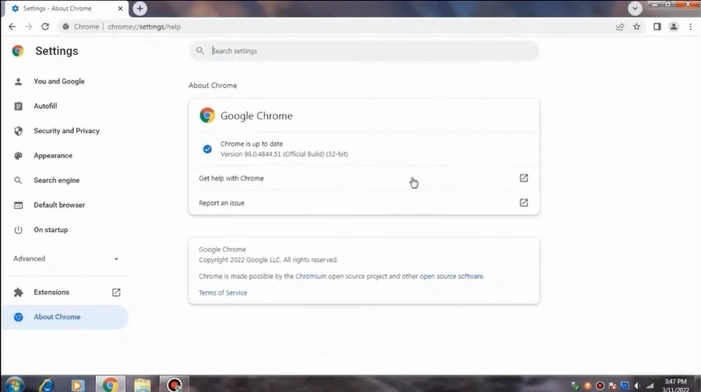
Step 4: Wait for Chrome to check for updates.
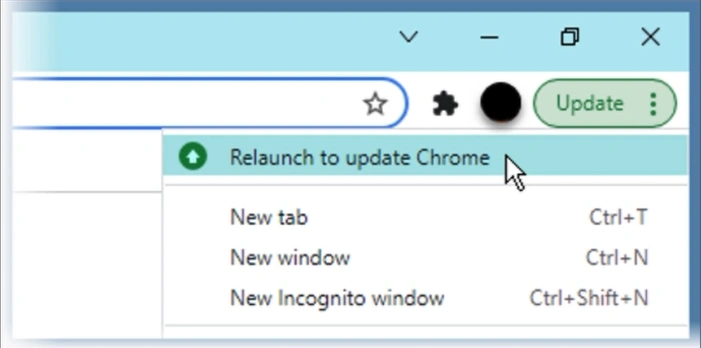
Step 5: Click on Relaunch to finish the update process.
Solution 3: Clear Cache
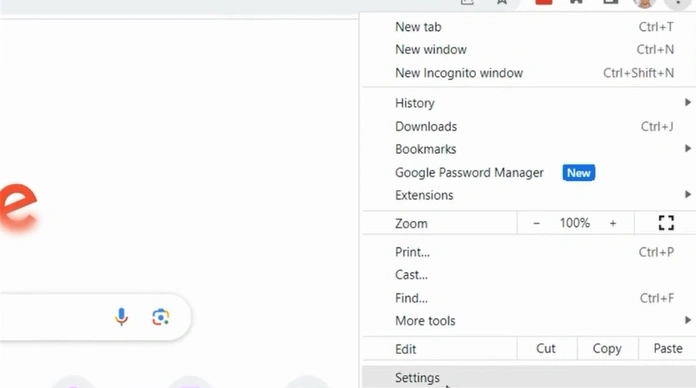
Step 1: Open your Chrome browser and click on the three-dot icon in the top-right corner.
Step 2: Click on Settings.
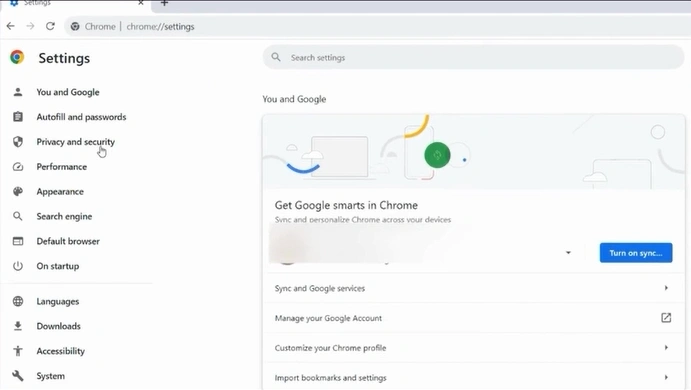
Step 3: Open the Privacy and Security folder.
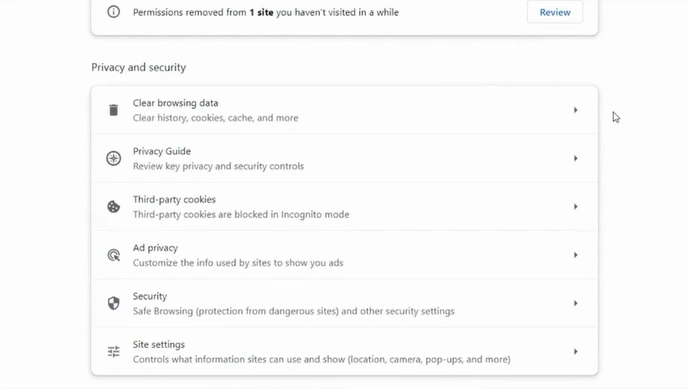
Step 4: Click on Clear browsing data.
Step 5: Choose All time in the Time range.
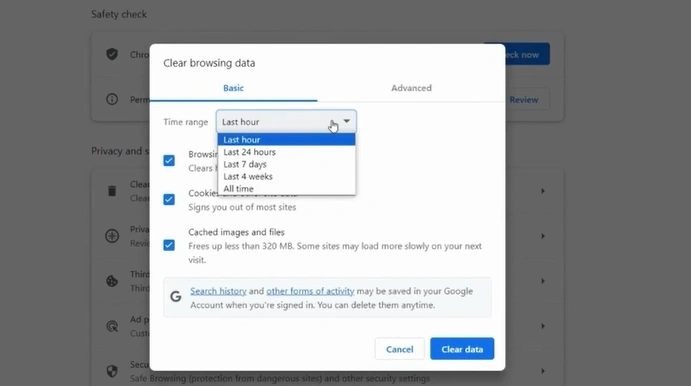
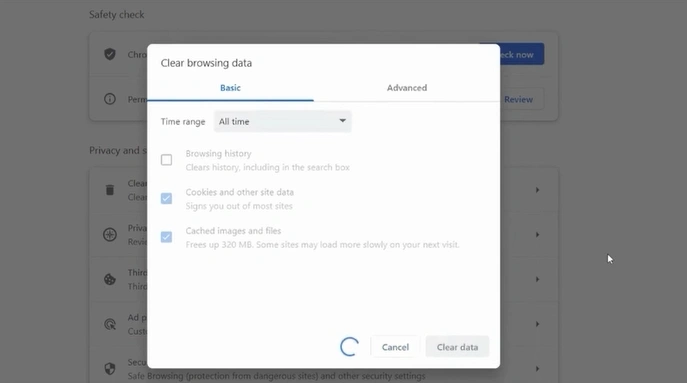
Step 6: Deselect the ‘Browsing history’ option to keep your history, but clear cache and cookies.
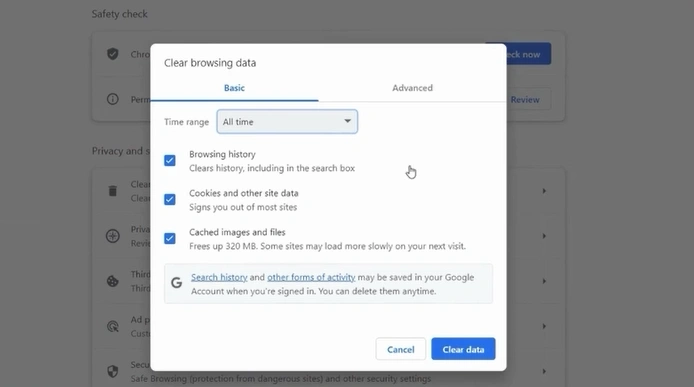
Step 7: Click on the Clear data button.
Solution 4: Reset Password
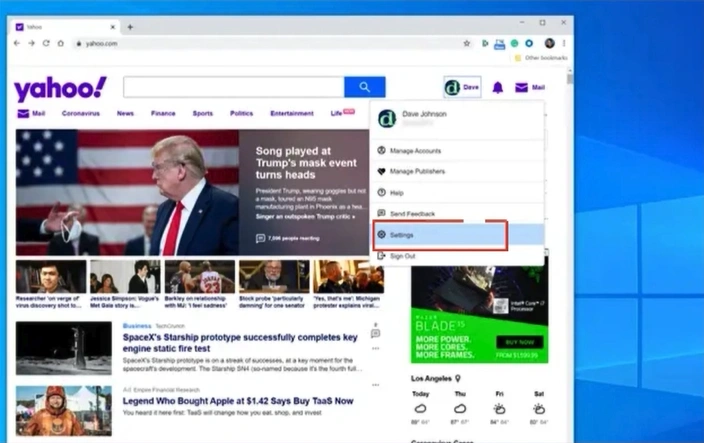
Step 1: Open Yahoo Mail in any browser, click on your Account Avatar, and go to Settings.
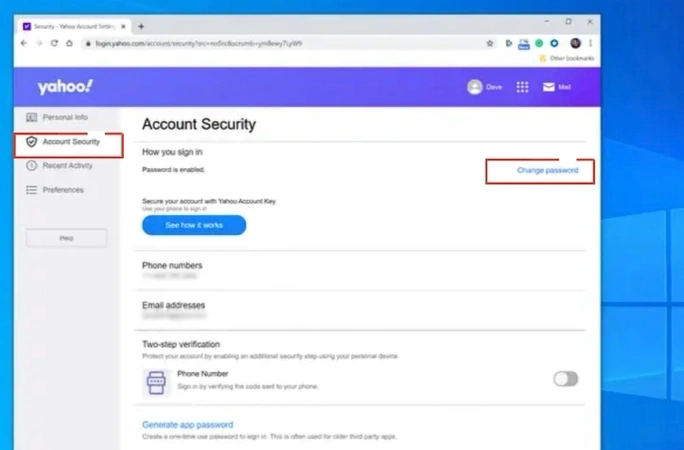
Step 2: Open Account Security from the left panel and click on Change password to reset.
Solution 5: Login With a Mobile Device
Step 1: Download and install the Yahoo Mail app.
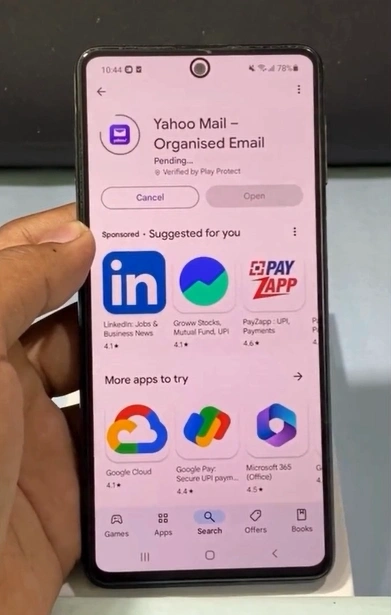
Step 2: Once installed, open the app.
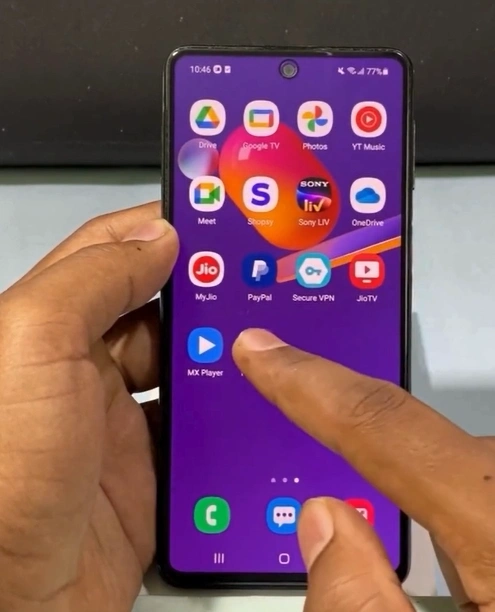
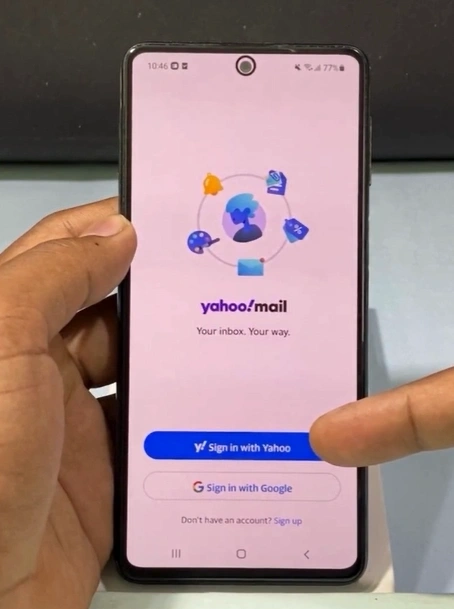
Step 3: Tap on Sign in with Yahoo.
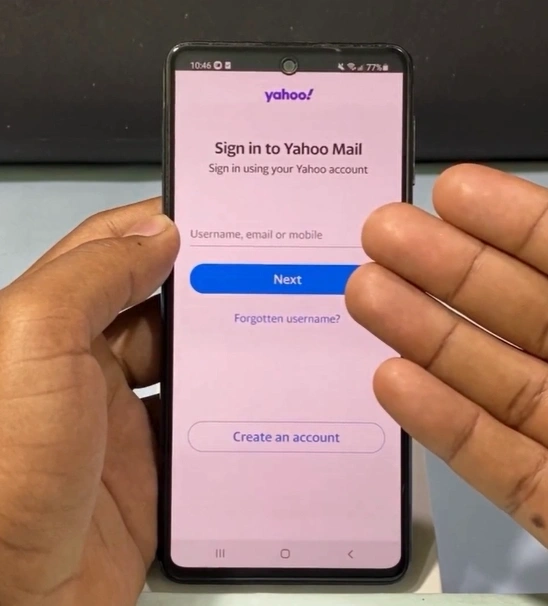
Step 4: Enter your login credentials to access your email account.
Also Read:- How to Add Yahoo Mail to Gmail?
Final Thoughts
You no longer need to struggle with logging into your Yahoo account. You can fix the Yahoo Mail not working issue by following the steps discussed above. Whether it’s clearing cache data from your browser, checking the internet connection, or logging in through a mobile device, each step can help resolve the problem.
With these fixes, you can get back to sending and receiving emails without any difficulties and quickly restore access to your inbox.


![BT Mail Spam Filter Not Working [Resolved]](https://helpemailtales.com/upload/blog/68d25fe901f84_bt-mail-spam-filter-not-working-resolved-.webp)


 +1-857-557-6896
 +44-161-791-4592