
How to Unblock a Domain in BT Mail?
- 1
An important email from a client is not showing in the BTinternet mail box- has that happened to you recently? You dig through the spam folder in the hope that it didn’t get lost. Even after checking everywhere, you couldn’t find it. Later, you may realize that it may be the domain that might be blocked in your BT Mail- that was the actual reason the email was missed.
Now, you need that mail urgently, and you have no clue how to unblock a domain in BT Mail. Not to worry, we can help you out with that. Here, we have explained the entire process of unblocking a domain, and you’ll soon get your missed email back in your inbox. Before we proceed straight to the process, we want you to first take a quick look at some common mistakes that most users make when unblocking a domain.
Mistakes to Avoid While Unblocking a Domain in BT Mail
Take a glance at these mistakes that users often make when unblocking a domain in BT Mail:
Typing Errors in Domain Name
Even a minor typo, like missing a letter or extension, can restrict the unblocking process from working correctly. Double-check everything before you confirm.
Unblocking Suspicious Domains
Do not unblock a domain you feel is not fully trustworthy. It may put your account at risk of phishing attacks or spam.
Ignoring Active Filters
Even after unblocking, filters or rules you have set earlier may still redirect messages to spam or another folder. So, you must not overlook this.
Not Saving Changes
Most of the time, the users update their settings but forget to save them. This could result in the unblocking process failing to take effect.
Problems When Trying to Unblock a Domain
Here are some of the most common issues you might encounter while unblocking a domain in BT Mail:
-
Wrong domain entry
-
Server-side delays
-
Cached settings
-
Incompatible browser
The Proper Steps to Unblock a Domain in BT Mail
Unblocking a domain can be quite a simple process. These are all the steps you must know to unblock a domain in BT Mail:
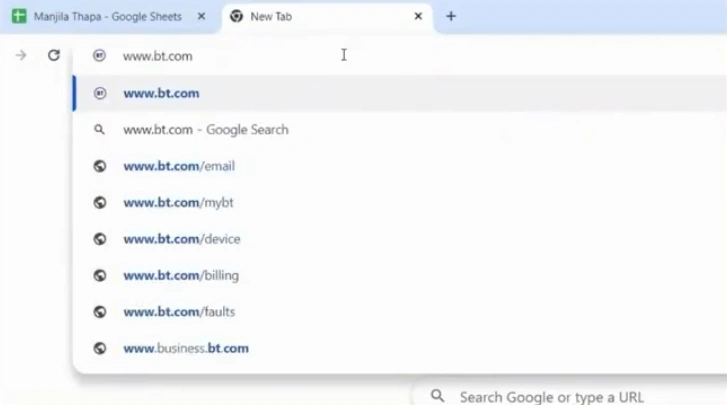
Step 1: Open your web browser, and go to the official website of BTinternet.
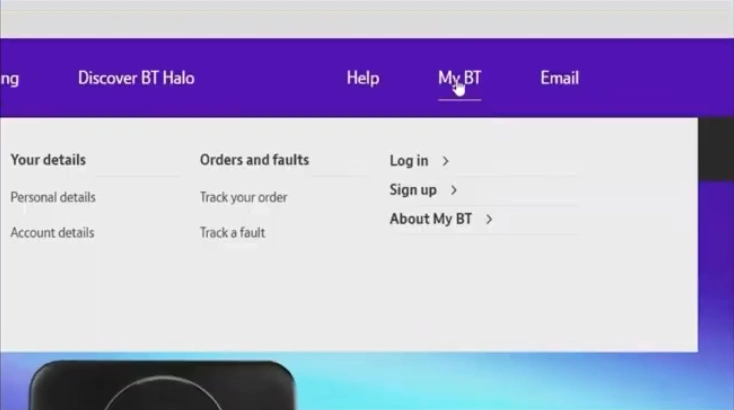
Step 2: Now, click on My BT option on the top menu bar, and click the Login option.
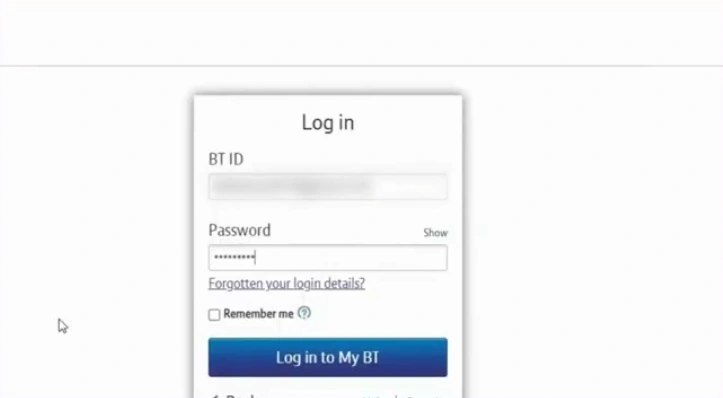
Step 3: Login to your BTinterent Account.
Step 4: Open the Settings tab.
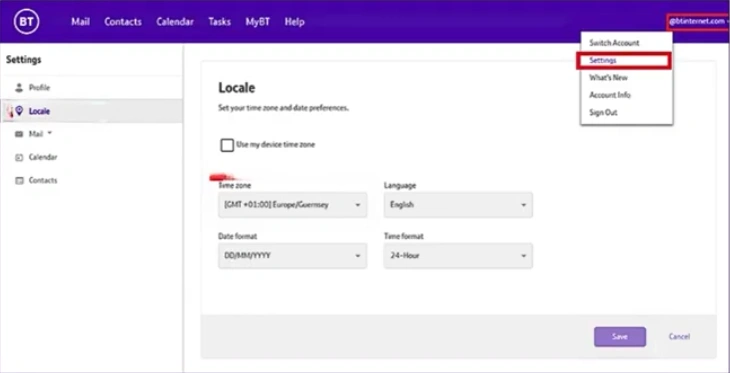
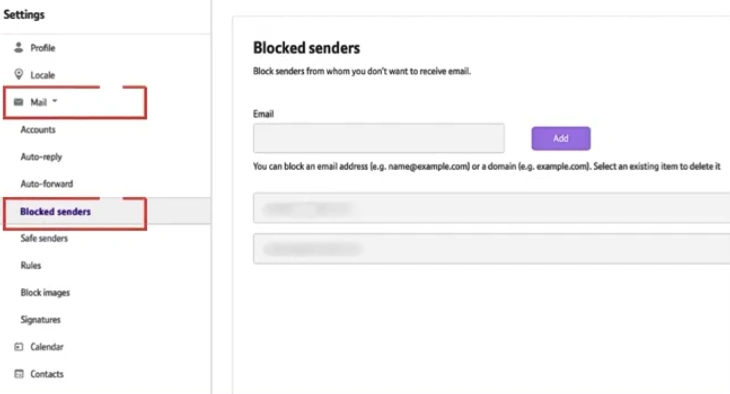
Step 5: Open the Mail dropdown in the left panel and click on the Blocked senders option.
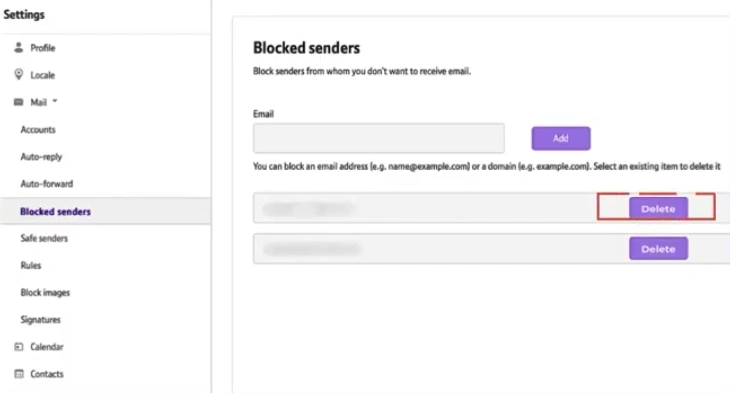
Step 6: Find and click on the Delete button to unblock the domain.
Also Read:- BT Mail Spam Filter Not Working [Resolved]
In Closure
That’s how you can unblock a domain in BT Mail. The missing email is back where it belongs. Remember this process when a legitimate message is not reaching your mailbox.
No more worrying about getting emails from trusted senders blocked accidentally. You can now have all the work-related messages delivered timely and not delayed in the spam folder. Unblocking really gives you a seamless and worry-free inbox experience.




 +1-857-557-6896
 +44-161-791-4592